What Can My Child Watch at 4, 8 and 12?
Last reviewed: October 2026
Reviewed by: TVCP Product Team
We make TVCP, a parental control app for Android TV and Google TV. This guide tries to be useful whether or not you use it.
“Can I watch this?” is easier to answer when you have something to go on besides the picture on the screen. Start with the rating, read what is in the programme, then think about the child sitting beside you.
Below are three starting points for ages 4, 8 and 12. The examples illustrate how to choose. Pick the ones that fit your child, and feel free to leave the others for later.
How do I choose something suitable for my child’s age?
Use the official age rating together with the title’s content advice. The British Board of Film Classification, or BBFC, provides notes explaining why a film or video received its rating. BBFC guidance for parents.
Our age groups below are suggested starting points, not ratings we have assigned ourselves. We name the source and country for each example: Australia’s ABC for a television listing, the UK’s BBFC for one film and Ireland’s IFCO for another. Check the rating displayed for the version you intend to watch.
Before pressing play, ask:
- What is in it? Read about threat, violence, language and other themes.
- How does the story move? Preview it and decide whether the pace feels comfortable.
- What might need explaining? Think about topics you would want to discuss together.
- Where will we stop? Choose an episode or a planned break before starting.
Keep the shortlist short. Two choices you have already checked are a perfectly reasonable menu for tonight.
What can my 4-year-old watch?
Start with a short, straightforward story about familiar situations, and preview it before offering it.
As a practical choice, we would look for a plot we can follow without much explanation, room for conversation and a reassuring ending. We would leave realistic danger, sustained fear and adult themes for another time.
That is a selection method, not a claim that every child of four needs the same style of programme. The AAP’s approach asks parents to consider both the individual child and the content. AAP’s 5 Cs framework.
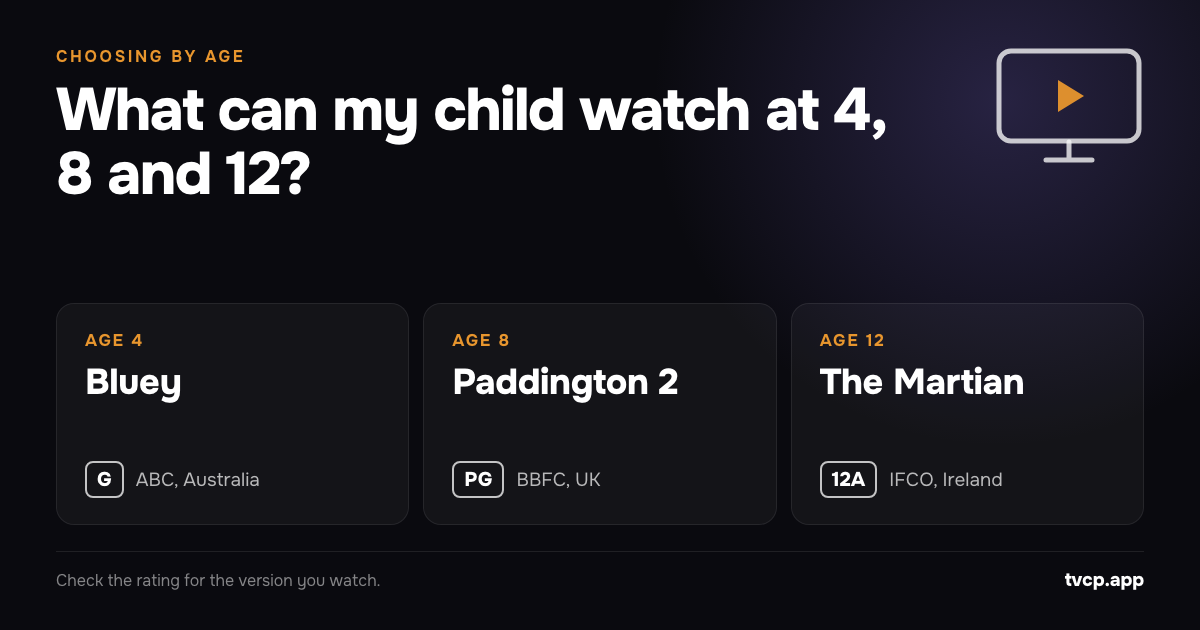
An example to consider: Bluey. Australia’s ABC television guide lists Bluey broadcasts as G, for general audiences. That is the Australian broadcaster’s classification for the listed broadcasts, not an “age 4” recommendation from us. ABC listings and classification key.
For a specific starting episode, consider Keepy Uppy. The official episode page describes Bluey, Bingo and their parents playing a game of keeping a balloon off the ground. Official Bluey episode guide.
We would shortlist it because the central activity is easy to explain: the family is playing a game. Watch it yourself and decide whether its humour and pace suit your child. Our suggestion is about the fit of that particular story, rather than treating a familiar programme name as approval for every episode.
Afterwards, you could ask, “What game would you like us to play?” Or simply turn the TV off and get on with the afternoon. You do not need a follow-up activity every time.
Does a U or G rating mean every preschooler will enjoy it?
No, use the rating as a starting point and make the final choice for your child.
For the UK’s U rating, the BBFC says content is suitable for all ages, while pointing out that not all U-rated content is intended for children. It also says individual reactions cannot be predicted. BBFC’s U explanation.
Do not assume that the Australian G in the Bluey example is the same rating system as the UK’s U. Keep the source of the label attached to the recommendation.
When previewing, look for anything your child has specifically asked to avoid. If they dislike a scene, pause and ask whether they want to continue. “We can choose something else” is a useful option to keep available.
What can my 8-year-old watch?
Try a fuller story, a comedy or a programme about an interest, while checking the content notes for anything that needs your attention.
For pacing, our suggestion is to choose a story your child wants to follow, with an agreed stopping point. You can try something longer without making finishing it an obligation.
An example to consider: Paddington 2. The UK’s BBFC rates it PG, with advice about mild threat. The plot follows Paddington and the Brown family trying to identify a thief after a book is stolen. BBFC’s Paddington 2 entry.
We would shortlist it for a family watch because that mystery gives you a clear question to follow together: who took the book? You could talk afterwards about what seemed fair or unfair, without needing to discuss every scene as it happens.
Read the threat notes first. The BBFC describes drowning danger and train sequences, with reassuring outcomes. Those details may be enough to choose another film for a child who dislikes water peril. Paddington 2 content advice.
For other choices at eight, try a science programme, an animal programme or a comedy you can preview. Check what is shown before choosing. We would be particularly careful with realistic injury, prolonged distress, humiliation presented as entertainment and dangerous behaviour that looks inviting to copy.
Those are questions for your family to consider, not a separate rating scheme. Ask your child what they enjoy and what they would rather skip.
Is PG suitable for an 8-year-old?
Often it can be, but the content notes still matter. The BBFC says a PG should generally not unsettle a child around eight, while warning that some scenes may not suit more sensitive children. BBFC’s PG explanation.
Use that information to make a specific choice. “PG, with mild threat involving water” gives you more to work with than “a family film”.
If you decide to watch, make space to stop. If you decide to wait, tell your child what you checked: “This has a scene you might not enjoy. Let’s choose something else tonight.”
What can my 12-year-old watch?
Choose together from content within the relevant rating range, then discuss any themes or scenes you want to check first.
Our starting options would include a longer adventure, a documentary about an interest or a comedy you both want to try. Let your child suggest titles. Ask what appeals to them, and read the content notes together.
An example to consider: The Martian, the 2015 film. Ireland’s Irish Film Classification Office, or IFCO, classifies its cinema release 12A and flags brief strong language and a brief gory scene. IFCO’s classification.
This is specifically an Irish cinema classification. Before choosing the version on your TV, check the classification attached to that version.
The story concerns an astronaut stranded on Mars who uses his ingenuity to try to contact Earth. We would shortlist it for a child interested in a survival problem, with an adult ready to watch too. BBFC’s plot and content notes.
Read the injury detail before deciding. The BBFC describes a bloody self-treatment scene after an accident, as well as tension during survival and rescue attempts. The Martian content advice.
For a child who dislikes injury detail, choose something else. Being twelve does not create an obligation to enjoy more intense stories.
Does turning 12 mean my child should watch 12-rated content?
No, it gives you another rating category to consider, not a list to work through.
In the UK, the BBFC says 12A cinema and 12 video content is not generally suitable for under-12s. Its guidance allows moderate threat and violence, and some strong language depending on context. BBFC’s 12A and 12 explanation.
At this age, we would check particularly carefully for sexual violence, self-harm, graphic injury and sustained cruelty. Read the detailed notes rather than guessing from the genre. Discuss what you are comfortable watching together and what you would prefer to leave until later.
Keep lighter favourites available too. Offer a comedy or a familiar programme alongside the more demanding choice.
How can I make the TV follow what we have agreed?
Decide which programmes and viewing times you are comfortable with before setting the controls.
On Android TV and Google TV with the Google Play Store, TVCP offers app blocking and viewing schedules. Use those for the apps and viewing windows you have chosen, and keep choosing individual programmes together.
For more on the thinking behind those choices, read What Watching TV Does to Children. For a viewing allowance, see Screen Time by Age, 2 to 12.
Related guides
See What Apps Are Used on Your Child's Android TV or Google TV
See which apps were used on your Android TV or Google TV, and for how long, from your phone. TVCP's Activity is free for every family.
How Much TV Is Too Much? Screen Time by Age, 2 to 12
What WHO, AAP and Canadian guidance say about screen time from ages 2 to 12, and how to turn that advice into a workable TV routine.
What Watching TV Does to Children: What the Research Says
A calm look at research on children and TV, including learning, sleep and behaviour, with practical ways to choose content and protect family time.